
Add an outro to your 360 photobooth videos
An outro plays at the end of every clip, which is where a guest is most likely to be paying attention. Here is the file you need and what to put in it.
An outro is a short video that plays at the end of every clip your booth
makes. It is the same idea as an intro, and it uses the same file specs, but
it does a different job.
An intro is seen once, at the start, by someone waiting to see themselves.
An outro is seen at the end, by someone who has just watched their own video
and liked it. That is the moment they are most likely to act, which is why
an outro is the best place in the whole clip for your business name and how
to book you.
The file you need
- A video matching your booth's clip shape. 1080 x 1920 for portrait,
1920 x 1080 for landscape. - Under 15 MB.
Clip shape is a per-booth setting with a default on the event, so check the
booth you are running before you export. Portrait is the default.
The clip adapts to the booth and your branding does not. When the two
disagree the outro is scaled to fill the frame and the overflow is cut off,
so a handle can lose its ends on every clip of the event without anything
warning you.
Keep it short. Two or three seconds is enough to read a name and a handle.
An outro is not a place to put a showreel, because most guests will stop the
video before it finishes.
Add it to your event
- Open the app and tap Projects.
- Tap the event you want to brand.
- Tap the Branding tab.
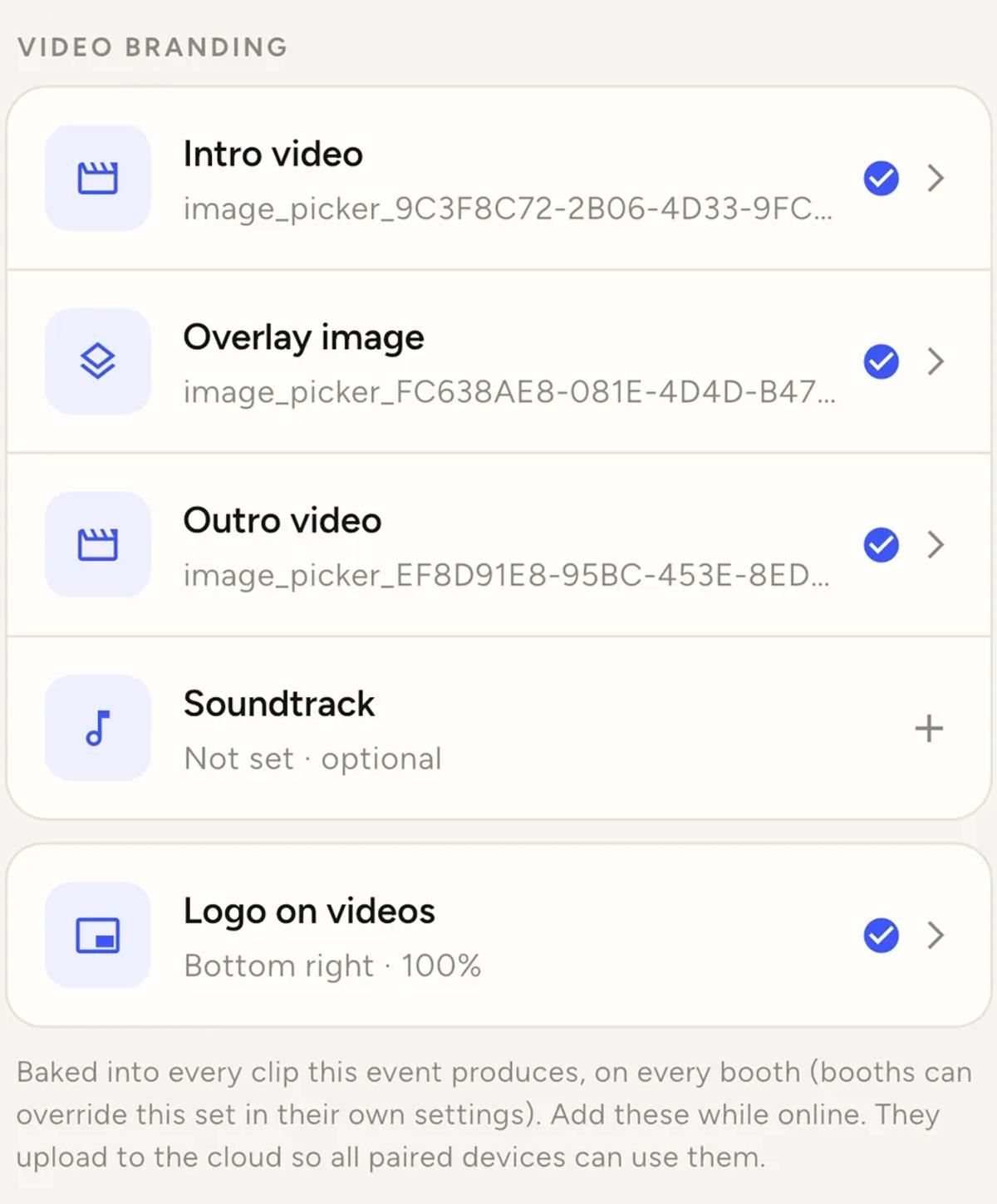
- Under VIDEO BRANDING, tap Outro video.
- Pick your video, trim it if you need to, then tap Choose.
iOS shows a filmstrip before it hands the file over, so you can cut a long
video down without a video editor. There is more on that in the
intro tutorial,
and it works exactly the same way here.
Wait for the row to finish uploading before you leave the screen. Branding
uploads to the cloud so that every paired device at your event can use it.
What to put in it
The clip has already done the selling by this point. The guest has watched
themselves. So keep the outro to the things someone would need in order to
find you later:
- Your business name
- One handle, usually Instagram
- A website, if it is short enough to read in two seconds
Resist putting all three plus a phone number plus a QR code. A guest is
holding a phone, watching a video that is about to end. They will remember
one thing.
It works on every plan
An outro is not a Pro feature. Neither is an intro or a soundtrack.
Pro changes one thing only, which is whose brand is on the clips. On a free
account clips carry the Logibooth watermark instead of your overlay artwork
and logo. Your outro still plays.
The outro is not the reel end card
These are two different things and it is easy to mix them up.
The outro plays at the end of every guest clip from your event.
The end card on a promo reel is separate. When you build a reel after an
event, the app asks for a booking link and puts it on an end card at the
finish of that reel. It does not use your outro, and your outro does not use
the booking link.
If your outro does not play
- Check the shape against the booth. The file has to match that
booth's clip shape. A mismatch is scaled to fill and cropped, not
letterboxed, so the loss is easy to miss. - Check the upload finished. No blue tick means the file did not
finish going up. - Check the booth. If that booth has its own outro set, it is using
that one, not the event's. - Check when you added it. Clips that have already finished processing
keep the branding they were made with. Clips still in the queue will pick
up the outro you just added, because the app reads your branding again at
processing time.
Keep reading
Add an overlay to your 360 photobooth videos
An overlay puts artwork on top of every clip your booth makes. Start from a template and edit it in the app, or upload a file of your own. Here is how, and why an overlay sometimes does not appear.
Read more →
Add music to your 360 photobooth videos
A soundtrack plays under every clip from your event. You can pick one track, or pick several and let each clip get a different one at random.
Read more →
Brand kit, event identity and booth overrides
Branding sits at three levels and they do not all behave the same way. Two follow your changes, one is copied once and never looks back.
Read more →