
Why a 360 clip is ten seconds
Ten seconds is not a style choice. It is what slow motion needs, and it is the reason stopping a take early throws it away rather than saving you time.
Every operator hits this within their first few events. A guest steps off
early, or the queue is long and stopping a take a few seconds sooner looks
like an easy way to move faster. It is not. The take disappears.
The short answer: ten seconds is both the moment a take ends and the
shortest take worth keeping, and those are deliberately the same number.
Anything shorter is not a shorter clip. It is no clip.
Here is why, and why the number is what it is.
Slow motion spends time faster than it plays it
This is the constraint underneath everything else.
To play footage back slowly and still look smooth, the camera has to capture
more moments per second than the finished video will show. Those extra
moments have to come from somewhere, and where they come from is real time at
the arm.
So a clip that hangs on a moment for what feels like a beat has consumed
considerably more than a beat of actual recording. Slow motion is not a filter
applied afterwards. It is a decision to spend recording time at a faster rate
than playback time, and the bill comes due at capture.
That is why a 360 booth records a fixed burst rather than rolling
continuously. It is not the app being inflexible. It is the effect needing
enough raw material to do what it does. What makes slow motion look good once
it is captured is a separate question, covered in
360 slow motion capture.
The same number does two jobs
Ten seconds is the moment the recorder stops on its own. It is also the floor
below which a take is discarded.
They are one number on purpose, and the reason is worth understanding because
it explains why you cannot simply lower one of them.
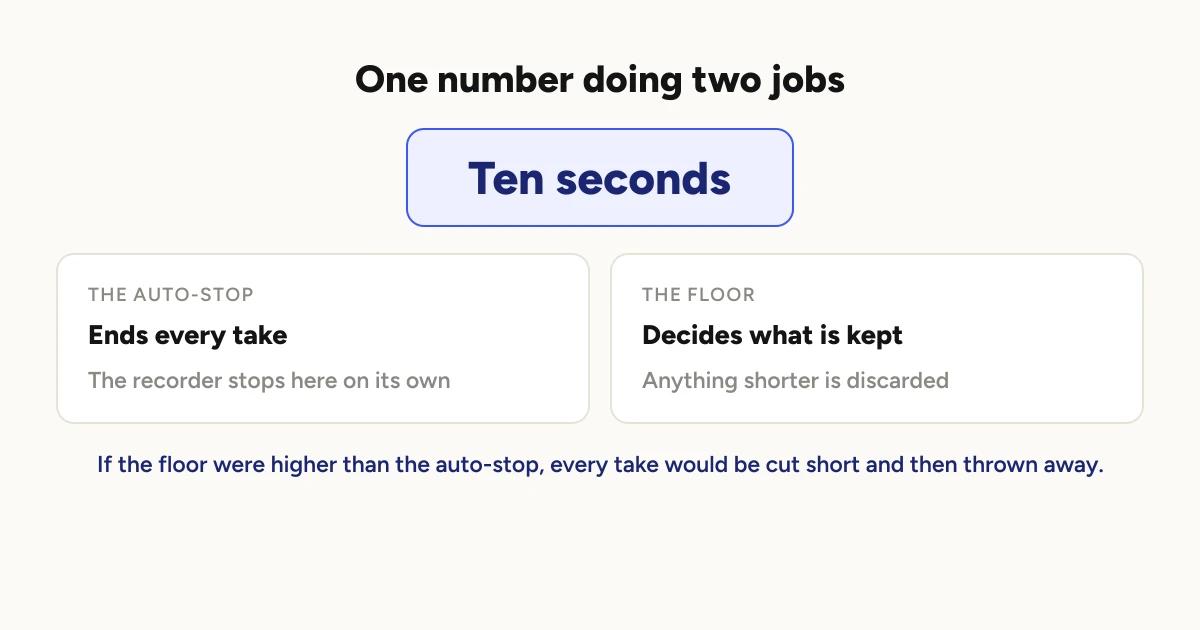
If the floor were higher than the auto-stop, every take would be cut off at
the auto-stop and then thrown away for being too short. The booth would record
all night and produce nothing, without ever showing an error. Keeping them as
a single value makes that situation impossible to configure by accident.
Does the app or the effect set the length?
The take length is read from the effect the booth is about to use, not from a
global setting. Booth override first, then the project's effect, which is the
same order used to decide which effect actually gets baked into the clip. The
length a take records to and the effect it records for can never come from
different places.
At the moment this is invisible to you, because all nine effects ask for the
same ten seconds. But the mechanism is what matters: if an effect needed
longer, the recorder would already know, because it asks the effect rather
than assuming.
What happens when a take ends early?
Three different things, depending on how it ended.
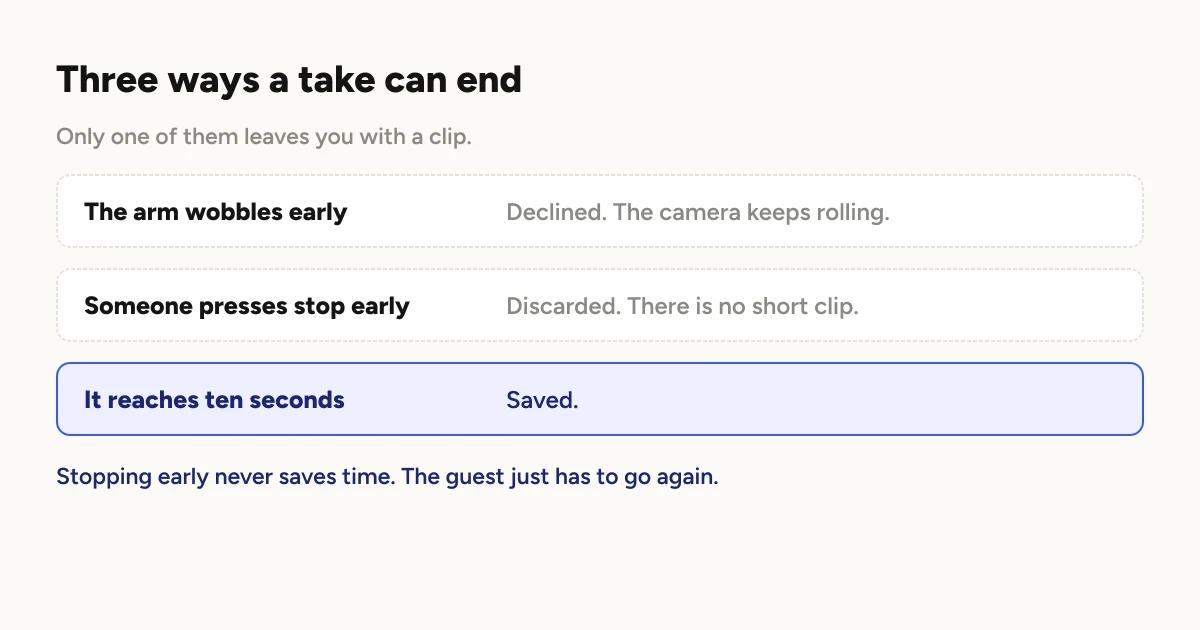
The arm wobbles and the sensor thinks the spin ended. Under ten seconds,
this is declined. The camera is deliberately left rolling, because an early
wobble is a bad reason to end a take. The auto-stop still owns the real ending.
Someone presses stop. Under ten seconds, the partial take is discarded.
This is the one that surprises people. A human pressing the button always
lands the camera, but landing it early does not produce a short clip, it
produces nothing.
The take reaches ten seconds. It stops on its own and is saved.
The practical consequence: stopping early never saves you time. It costs
you the take and the guest has to go again, which is slower than letting it
finish would have been.
What does this mean for a busy booth?
Ten seconds is the recording. It is not the time a guest occupies the
platform, which also includes stepping on, handing over drinks, deciding who
stands where, and stepping off. The recording is usually the shortest part of
a turn.
So if you are trying to move a queue faster, the ten seconds is not where the
time is. Queue throughput is decided elsewhere,
mostly by how clips are being delivered.
Why not just make it longer?
Longer takes are more raw footage, which means more storage per clip, longer
processing per clip, and a slower queue on a busy night. Every second added
to the take is paid for again at rendering time and again in storage, on every
single clip of the event.
Ten seconds is the point where the effects have what they need and nothing is
being spent on footage that will not appear.
Getting the most out of the ten
Start the take when the group is ready, not when they step on. The count
is the same either way, so the seconds spent settling are seconds the effect
does not get.
Two or three people, not six. The arm is close and the platform is small,
and a crowded take wastes the part of the pass that would have looked best.
Pick the effect before the event, not during it. Effects differ in where
the slow part falls, so the same ten seconds produces quite different clips.
Choosing an effect
covers what each one does, and every effect can be previewed on your own most
recent take before you commit.
Let it finish. Always.
If you want the wider picture of what happens between the arm stopping and
the video appearing, how a 360 photo booth works
covers the whole path.
Keep reading
How many clips does a 360 booth event produce?
A rough guide from Logibooth's own numbers. A typical event records a few dozen clips, and the busiest run into the hundreds. Here is what moves it.
Read more →
Choosing a 360 photo booth overlay template
Picking a template is quick. Picking one whose words still read on a spinning clip, and still show once a guest posts it, takes a little more thought. Here is what to look for.
Read more →
Running a 360 booth outdoors
Every indoor problem is about too little light. Outdoors the problem flips. The sun is one enormous light you cannot move, and part of every spin points straight at it.
Read more →