
How does a 360 photo booth work?
A platform, an arm, and a phone that is doing more work than it looks. Written so an operator can send it to a client who asked what they are hiring.
Two people usually ask this question. Someone thinking about buying a booth,
and someone who has been quoted for one at their wedding and wants to know
what they are paying for.
This is written for both. Operators can send it to a client without having to
explain the rest.
What is a 360 photo booth?
A 360 photo booth is a low platform with a motorised arm that carries a phone
in a circle around the people standing on it. The phone records a few seconds
of footage from every angle, and software turns that into a slow motion clip
the guests can post.
It is worth clearing up what it is not, because the name misleads people.
It is not a 360 degree camera. Nothing here films in every direction at
once. One ordinary phone camera travels around the guest, which is a different
thing and is why the footage looks the way it does.
It does not print. A traditional photo booth hands you a strip of photos. A
360 booth produces a short video, and the guest receives it on their phone.
It is not the guest spinning. The guests stand still. The arm moves.
The spinning part is the part everyone notices. The software is the part that
decides whether the clip is any good.
Step by step, from stepping on to sharing
The whole chain, in order, before the detail below.
- A guest steps onto the platform, usually two or three people at most.
- Recording starts, either when the operator taps or when the arm begins
to move. - The arm carries the phone around them at a steady speed while the phone
records a few seconds of footage. - Software applies the effect, which is what turns constant speed footage
into slow motion with a shape to it. - Branding is baked in, meaning any overlay artwork, logo, intro, outro or
music, all rendered into the finished video on the phone. - The guest receives the clip, normally by scanning a QR code or using a
sharing station beside the booth.
Everything after this is the detail behind those six steps.
The physical setup
The platform. A low, sturdy circle that people stand on. Usually big
enough for two or three at once, though it works best with fewer.
The arm. A motorised boom that rotates around the platform at a steady
speed. Steady is the important word. Anything that wobbles shows up in the
footage as a jolt.
The phone. Mounted on the end of the arm, pointing inward. This is the
camera. It is not a webcam feeding some separate box. The phone records the
footage, processes it, and delivers it.
Lighting. Usually a ring light or a bar on the arm, sometimes a separate
stand. Venues are darker than they look, and this is what stops the footage
being grainy. Why it goes on the arm rather than beside the booth is covered in
lighting a 360 booth.
That is the whole rig. There is no hidden computer. The phone is doing the
work.
What happens in those few seconds?
A guest steps on. The operator or the guest starts it. The arm makes one or
more passes around the platform while the phone records.
The recording itself is short, and deliberately so. It is not a video of the
whole party. It is a few seconds of one group, captured from every angle.
What comes out of the camera at this stage is not what the guest sees. It is
raw footage of an arm going around at a constant speed, which on its own
looks fairly ordinary.
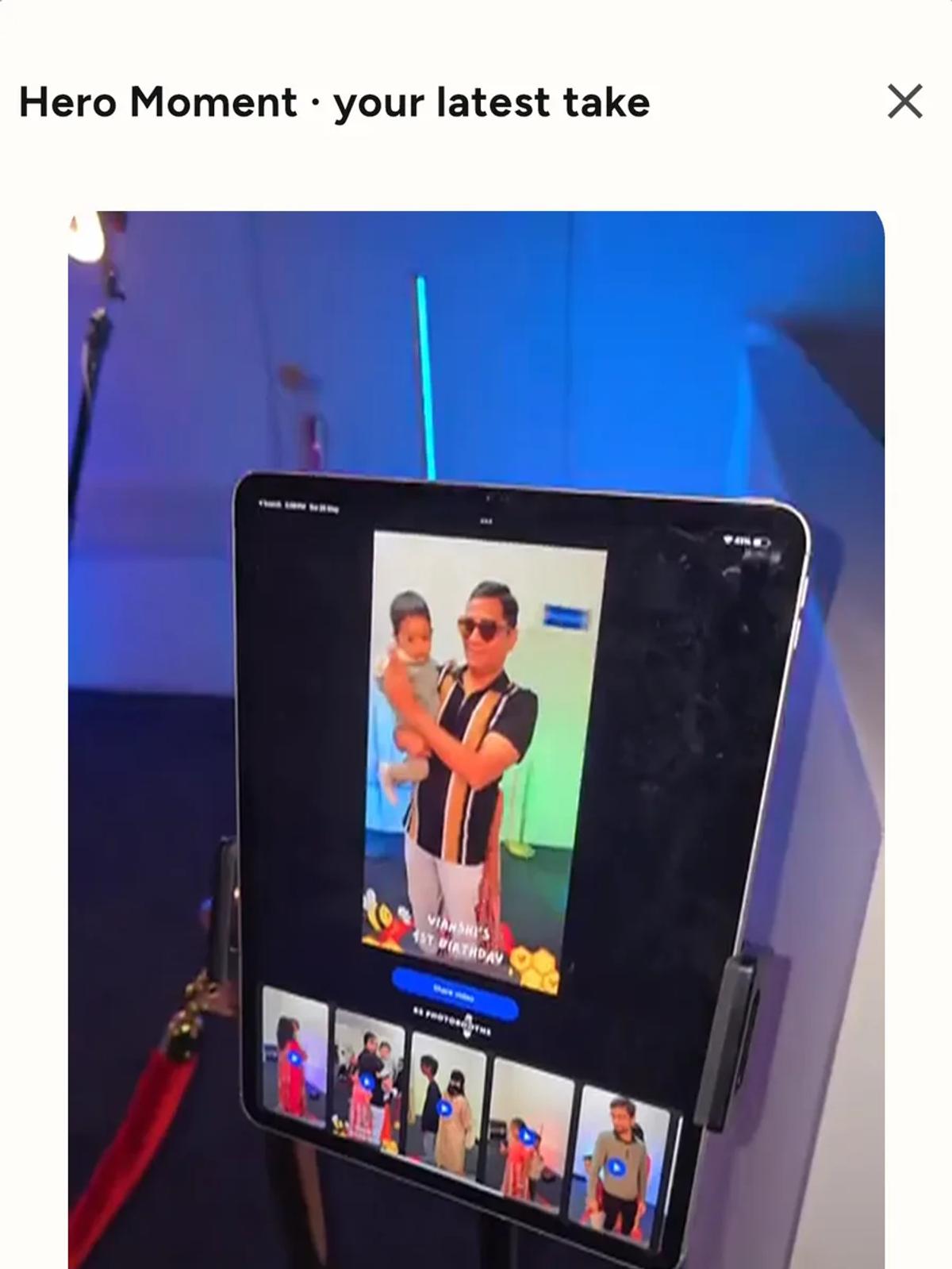
The part that makes it look like that
The clip a guest posts has been through a lot between the arm stopping and
the video appearing.
Speed ramping. The footage is slowed down, sped up, or both, at chosen
moments. This is where the drama comes from. A pass that was constant speed
in the camera becomes a clip that hangs on a moment and then whips around.
Slow motion is why the recording has to be short. To play footage back slowly
and still look smooth, the camera has to capture more frames than it will
play. Those extra frames cost storage and processing, and they are the reason
a 360 booth records a burst rather than rolling continuously.
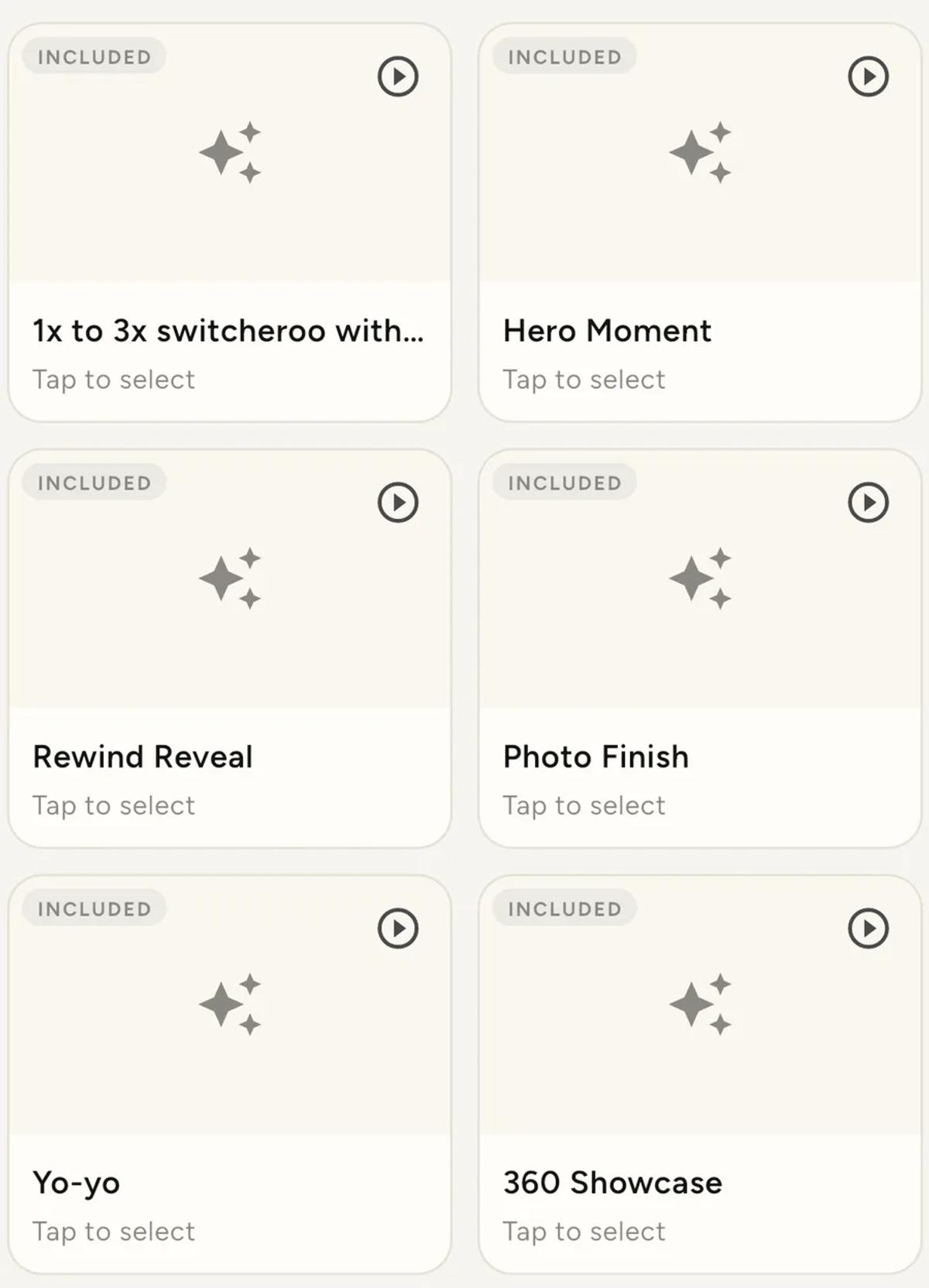
Effects. The choice of ramp is what most apps call the effect. Logibooth
ships nine: 3x Slow down with Boomerang, 1x to 3x switcheroo,1x to 3x switcheroo with Boomerang, Hero Moment, Rewind Reveal,Photo Finish, Yo-yo, 360 Showcase and Warp Rewind. They differ in
where the slow part falls and whether the footage reverses, and
choosing an effect
walks through what each one does to a take.
Branding. An intro, an outro, an overlay and a soundtrack are composited
in at this stage, which is how a clip ends up with a couple's names or a
company logo on it.
All of that happens on the phone, which is why it takes a moment, and why the
phone gets warm. It is also why a booth that is busy can develop a backlog.
Why your queue backs up covers
what actually causes that, and it is not usually what people assume.
How do guests get the video?
Several ways, and which ones are available depends on the venue as much as
the app.
A QR code or an AirDrop at the booth itself.
A share station, which is a second device set up away from the platform
where guests collect their clips. This keeps the queue moving, because
nobody is standing on the platform waiting for a video.
Setting one up
takes a few minutes.
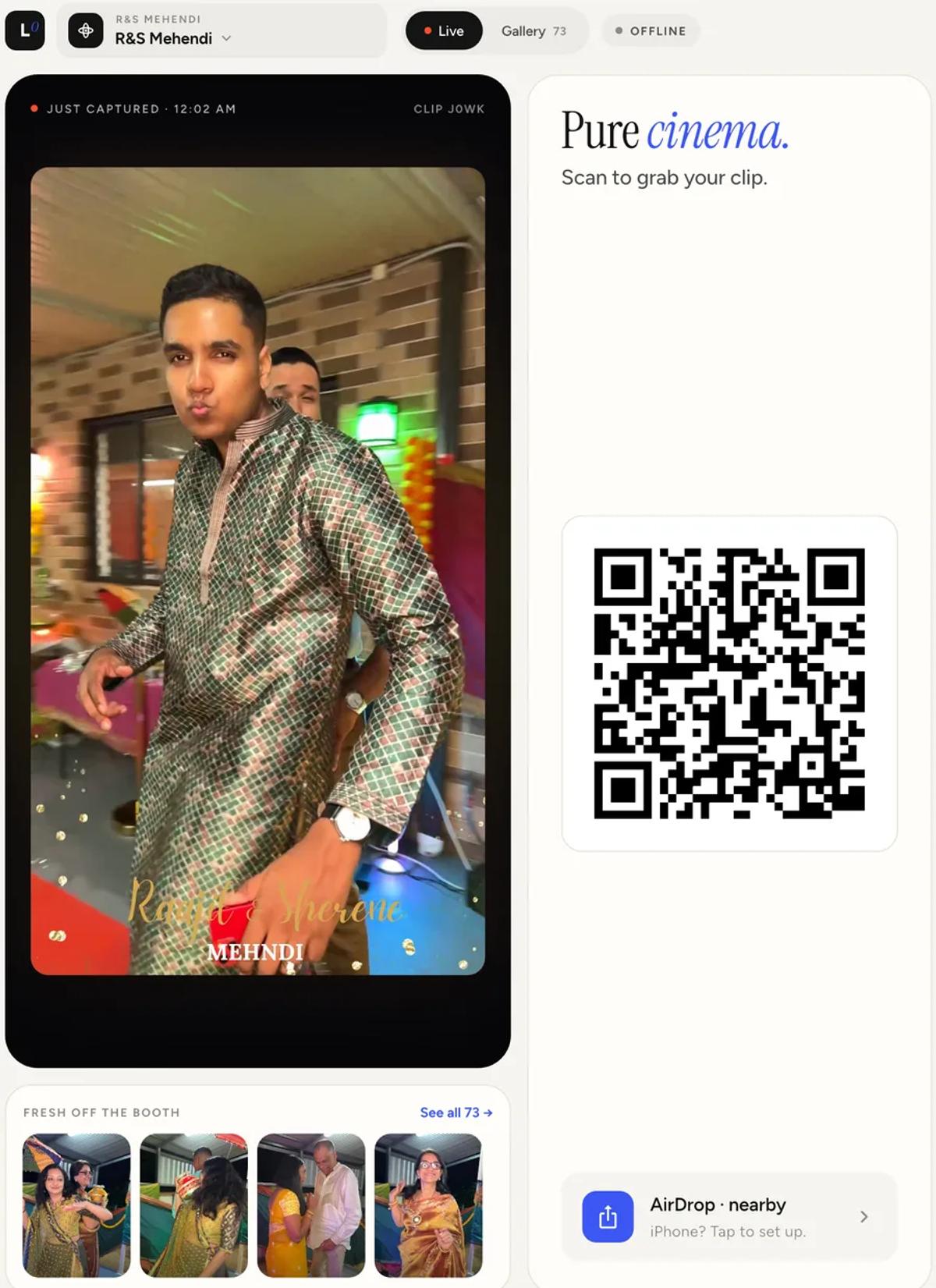
Email or text, if there is a working internet connection.
That last condition catches people out. Venue wifi is often weak, and a
basement or a marquee may have no signal at all. A good setup plans for that
in advance rather than discovering it at the event, and
offline delivery exists precisely because it
happens so often. Guests still get their clips with no internet. What you
lose is the contact details, not the videos.
How is it different from a regular photo booth?
A regular photo booth is built around a camera that stays put. Guests stand or
sit in front of it, it takes a short burst of still photos, and the result is
usually printed on the spot as a strip, sometimes with a digital copy as well.
A 360 booth changes every part of that. The camera moves around the guests
instead of staying put. It records video rather than stills. And what the
guest takes away is a short slow motion clip on their phone, not paper in
their hand.
That last difference is the one that matters for an event. A print goes in a
pocket. A video gets posted, and is seen by people who were never in the room,
which is covered in
where 360 booth bookings come from.
What does it need from the venue?
If you are the client and wondering what your operator will ask for:
Space. More than the platform itself, because the arm sweeps a wider
circle and guests need room to step on and off safely.
Mains power. The booth runs all night with a screen on.
A flat, solid floor. A spinning arm on an uneven surface is both a
wobbly video and a safety problem.
Somewhere out of the main thoroughfare, but not hidden. A 360 booth
draws a crowd, and the crowd is part of the appeal.
Light. If the room is very dark, the operator will bring their own.
What should a client actually expect?
Not everyone will use it. Guests come in waves, usually after dinner and
after the dancing starts.
It takes longer per group than people assume. Stepping on, sorting out
drinks and phones, doing a take, sometimes doing it again, then stepping off.
Multiply that by the number of guests you hope will use it and you get a more
honest picture of how many hours you need.
Two or three people per take looks better than six. The platform is
small and the arm is close.
Ask who gets the videos afterwards. Some operators hand over the full
set to the client, some do not. It is worth asking before you book rather
than after.
At a party, specifically
The mechanics above are the same at every kind of event. What changes is how
guests behave around the booth, and a party is the easiest of them to run.
Guests arrive in groups and stay in groups. At a wedding, people tend to
approach in ones and twos and need coaxing. At a birthday or a house party they
turn up as a pack, already talking, already moving. That matters more than it
sounds, because slow motion only rewards movement, and a group supplies its own.
The queue is self-managing. People wait together, watch the take in front of
them, and work out what they want to do before they step on. That alone speeds
up throughput more than anything the operator does.
It usually peaks once, not twice. A wedding has a lull for speeches and
dinner. A party tends to have a single long peak once enough people have
arrived, so the booth is either quiet or fully occupied with very little in
between. Plan staffing around the peak rather than the average.
It is louder, so the briefing has to be shorter. Nobody is going to hear a
paragraph. "Do something with your hands, three, two, one" is the whole
instruction, and it works.
Space is tighter than at a venue. A hired hall has room. A living room does
not. The arm needs clearance for a full circle at its widest point, and the
answer to how much space is needed is the same as everywhere else, but people
underestimate it more at home.
If you are planning a party rather than running one, the short version is that
a 360 booth suits parties better than most events, because the thing it needs
from guests is energy and that is the thing a party already has.
For operators reading this
The thing worth understanding early is that almost every decision that
affects your night is made before you arrive. What the clip looks like, how
guests receive it, whether the queue keeps moving, and what happens if the
venue has no usable connection are all setup choices, not things you adjust
mid-event.
If you are still deciding whether to buy, the cost side is covered in
what a 360 photo booth actually costs,
including the parts that do not appear in any listing. The software is a
separate choice, and
which 360 photo booth app to use compares
the main options.
Keep reading
How many clips does a 360 booth event produce?
A rough guide from Logibooth's own numbers. A typical event records a few dozen clips, and the busiest run into the hundreds. Here is what moves it.
Read more →
Choosing a 360 photo booth overlay template
Picking a template is quick. Picking one whose words still read on a spinning clip, and still show once a guest posts it, takes a little more thought. Here is what to look for.
Read more →
Running a 360 booth outdoors
Every indoor problem is about too little light. Outdoors the problem flips. The sun is one enormous light you cannot move, and part of every spin points straight at it.
Read more →