
Running a 360 booth where there is no wifi
Guests still get their clips. What you lose is the lead capture, and there is a data safety catch nobody warns you about. Almost all of it has to be decided before you leave.
Basements. Marquees. Old function rooms with thick walls. Venue wifi that
turns out to be a guest portal with no route out, or a password nobody at the
venue actually knows on the night.
It happens often enough that it is not an edge case. It is a category of
event, and the operators who handle it well are the ones who decided how
before they left the house.
The short answer: guests still get their clips. You lose the lead capture.
And if you switch to local delivery, the recording phone holds the only copy
of every clip until you upload them yourself.
That last part is the one that catches people, so it gets its own section.
What still works without wifi?
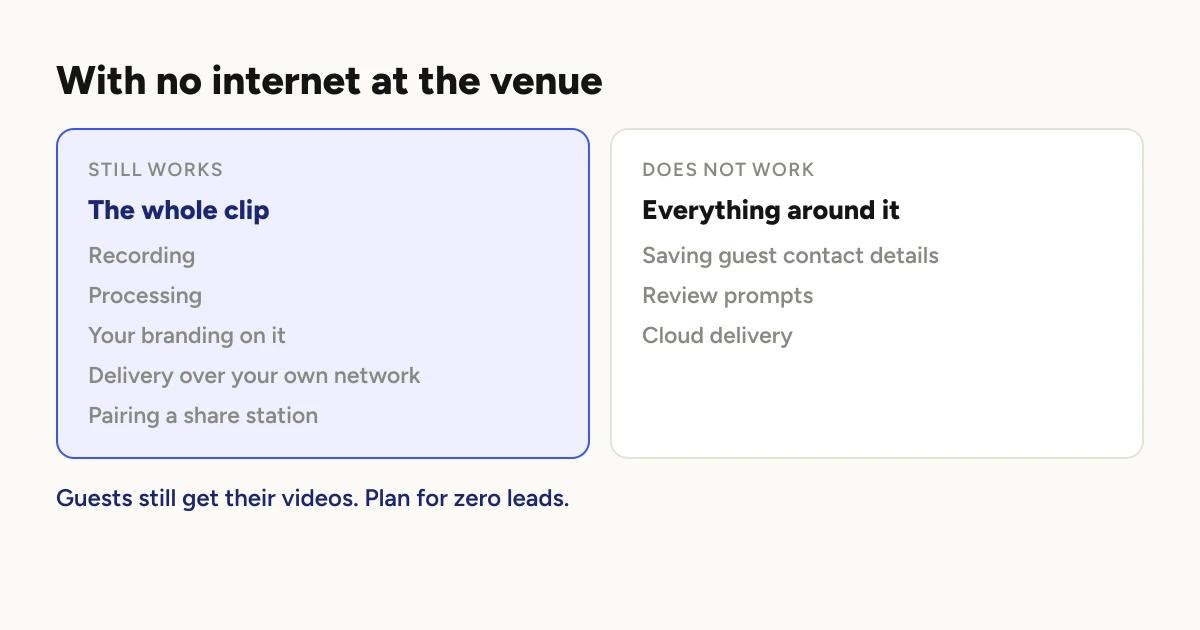
Recording. The camera and the arm need no connection at all.
Processing. Clips are rendered on the phone. Your intro, outro, overlay,
soundtrack and logo are all composited locally.
Delivery over your own network. Two devices on the same wifi can pair and
move clips between them with no route to the internet at all. The network
only has to carry traffic between your devices, not out to the world. A
cheap travel router with no internet connection behind it is enough.
A Share Station. Same principle. It pairs over the local network, and
guests collect clips from it.
What does not work?
Saving guest contact details. The form still appears and a guest can
still type into it, but the save needs the cloud. Plan for zero leads from a
genuinely offline event.
The app at least fails gracefully here rather than trapping anyone. Over a
local connection the skip link is forced visible even on a gate you marked
as required, because a required form that cannot submit would otherwise
stand between a guest and their video. They skip, and they still get the clip.
Review prompts. They need to open a page on the internet.
Cloud delivery. Obviously, but worth stating: if the booth is set to
Cloud and there is no route out, clips queue rather than deliver.
What does nobody warn you about?
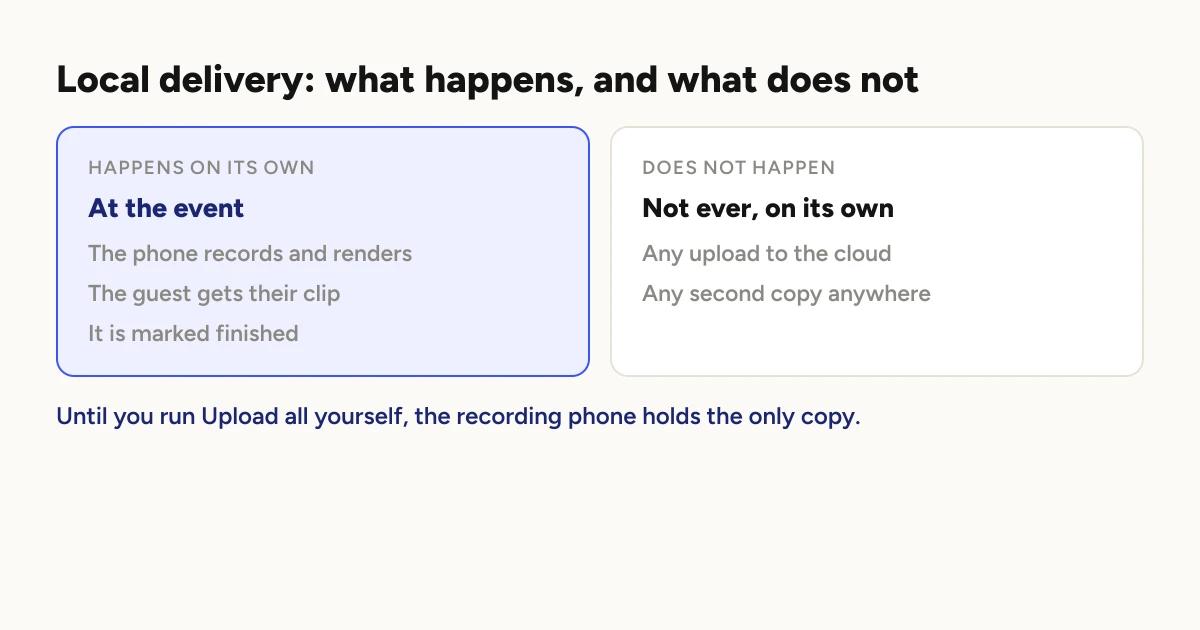
If you switch a booth to Local delivery, the clip is never uploaded
automatically. It is processed on the phone, served to guests over your
network, and marked finished with no cloud copy at all.
Until you run the upload yourself, the only copy of every clip from that
event is on the phone that recorded it. Clearing storage loses them.
Reinstalling the app loses them. Losing or breaking the phone loses them,
and there is no second copy anywhere.
This is a deliberate design decision rather than a bug. A Local booth is
Local, and a background upload would quietly undo the reason people choose
it. But it does mean the job is not finished when the event is.
Upload them the same night if you can. There is an "Upload all" action on
the booth once you are back on a real connection.
Each device uploads its own clips. Upload all only covers files that are
on the phone in your hand, so if you ran two recording devices, you have two
uploads to run, one on each.
Do not clear storage before that upload. This is the specific way
operators lose an entire event.
Cloud or local delivery
covers the setting itself.
What should you decide before you leave?
Almost nothing here can be fixed at the venue, which is what makes it worth a
few minutes at home.
1. Cloud or Local, per booth. This is the decision. Local delivery means
guests get clips over your network regardless of the venue, at the cost of
the manual upload above. It is set per booth, with a project default, so a
two booth event can run both.
2. Bring your own network. A travel router creates a network your devices
can share even with no internet behind it. This is what makes a Share Station
work in a basement.
3. Open the app online once before you go. The app checks your plan when
it bakes branding into a clip. On a device that has been online recently that
check is instant. On a device that has never been online, it waits, and it
waits while holding one of the
two slots the phone uses to render.
It is also how a paying operator ends up with a watermark on a fresh install
that has never connected. One launch on your home wifi avoids both.
4. Decide what you are telling the client about leads. If lead capture is
part of what you sold, an offline venue changes what you can deliver, and
that conversation goes much better before the event than after it.
5. Free up space. Local clips stay on the phone until you upload them, so
an offline event needs more headroom than a cloud one.
On the night
Test before doors. Pair the Share Station and pull one clip through the
whole path, start to finish, before the first guest arrives.
Do not go looking for the venue wifi mid-event. If you planned for Local,
running it is the plan. Switching delivery mode with a queue in flight solves
nothing and creates a mess.
Watch your storage rather than your signal. On an offline event, storage
is the thing that can actually stop you.
The honest summary
An offline venue is a delivery problem, not a recording problem. The clips
are never really at risk. What is at risk is the contact details you planned
to collect, and afterwards, the clips you have not backed up yet.
Both are decided in advance. Neither is fixable at 11pm in a basement.
Running an event with no internet
is the step by step version, and
setting up a Share Station
covers the pairing. If you are weighing this up for a venue you have not
seen, offline mode explains what the app does
without a connection.
Keep reading

How many clips does a 360 booth event produce?
A rough guide from Logibooth's own numbers. A typical event records a few dozen clips, and the busiest run into the hundreds. Here is what moves it.
Read more →
Choosing a 360 photo booth overlay template
Picking a template is quick. Picking one whose words still read on a spinning clip, and still show once a guest posts it, takes a little more thought. Here is what to look for.
Read more →
Running a 360 booth outdoors
Every indoor problem is about too little light. Outdoors the problem flips. The sun is one enormous light you cannot move, and part of every spin points straight at it.
Read more →